

Well, I don’t like Mondays, I don’t like getting up early, I don’t like flying and I don’t like beer either. On Monday july 16th, I got up very early and took the plane to Munich to join the “SOA Suite 11g advanced” training. This training was a track of the Oracle Fusion Middleware Summer Camps organized by Jürgen Kress. The other tracks were “ADF for BPM Suite 11g advanced training” and “WebCenter Sites 11g advanced training”. About 25 participants from several (mostly) European countries showed up for the SOA track. In this blogpost I will share some of my experiences of this three-day training.
Monday
The first day started with an introduction by Jürgen followed by a presentation by our trainer for the next days, Geoffroy de Lamalle, over the anatomy of a scalable SOA project.
Introduction
Jürgen told us about the different Oracle information resources available like the blog by Lucas Jellema (Really, he mentioned this blog first and … I didn’t bribe Jürgen), several RSS feeds, books and the AIA Foundation Developers Guide as a blueprint for web service design. He also gave some hints about what to do if you can’t get your Oracle software to co-operate as expected. There are several resources out there, Google, Oracle documentation, blogs, AIA Foundation Developers Guide (again), OTN forums and of course asking another human being can help as well. He also gave some insights on the Oracle pre-sales support and finished with an overview with the Oracle Fusion Middleware stack.
Anatomy of a scalable SOA project
Geoffroy de Lamalle took us on a SOA Reference Architecture journey. Our final destination was the anatomy of a scalable SOA project. That is how to create your service landscape in order to improve decoupling, to mitigate the maintenance efforts and being prepared for future extensions.
He advised the (re-)use of a reference architecture, don’t invent the wheel again. For example AIA reference architecture (this is an Oracle training by the way). Other providers of a reference architectures are The Open Group and OASIS.

In AIA there are several layers of services. Each layer contains the same type of services. Services in a layer only interact with services in the layer below or above. On the highest layer we have presentation services which provide business process logic for consumers like front-ends or external applications. On the lowest layer, services have a very technical nature, for instance the service enablement of a legacy system. Advantages of this approach are well defined boundaries which enable parallel development and testing. We ended the first day with an exercise in slicing and dicing of services.
After the first day I realized I’ve seen the slice and dice approach before, in chapter 12 “Planning Your Service Landscape” from The definitive guide to SOA written by Jeff Davies and others to be precise.
Tuesday
The second day we implemented the artifacts of the first day in a hands-on and for the evening Jürgen invited us for the networking dinner.
Hands-on
The second day we continued our scalable SOA reference architecture journey with an hands-on in Jdeveloper. We used the results of the first day and spended some time to set-up several Jdeveloper projects for the different kinds of services:
- Design of directory and project structure.
- Use of the Oracle Metadata Services (MDS) repository to store common artifacts like XSD, WSDL and XSLT’s, Schematron files.
- Use asynchronous BPEL processing unless there is a click event: somebody pushed a button and is now waiting for feedback.
- Model business processes in several small steps. Use the Event Delivery Network to invoke the next step if possible.
We also spent some time discussing topics such as transactions, delivery manager in the SOA Suite, Oracle Web Services Manager, Oracle Enterprise Gateway (XML firewall) and the Event Delivery Network (EDN). Besides these technical topics also some common pitfalls were identified by Geoffrey:
- No architecture, for example no architectural blueprint at all or lack of a “big” picture.
- No consistency, for example lack of naming and coding conventions. lack of design patterns.
- Bad infrastructure.
Networking diner
We went to the center of Munich by Bus, Jürgen did a quick tour by foot. We visited popular places such as Hofbräuhaus and Marienplatz. We entered the bus again and drove to the country side outside of Munich. We had a nice Bavarian BBQ in an old barn. For pictures see the Soa Community Facebook page.
What about beer? Well, cola in a beer glass is perfect disguise. You can’t see but you can taste the difference ;-).
Wednesday
The last day started with an Q&A session with Geoffroy. Followed by a presentation about SOA Proactive Support by Maria Salzberger and John-Brown Evans. In the afternoon a presentation by Marcel Amende about B2B, Complex Event Processing, Coherence and Big Data.
SOA Proactive Support
I was expecting a presentation about completing service request forms. Luckily, it turned out otherwise. The goal of the SOA Proactive Support is to help customers to detect and resolve potential issues before they have an impact. A lists of their activities:
- Improve the usability of My Oracle Support (MOS) by adding Product Information Centers (PIC). A PIC covers specific tasks for one product (suite) such as troubleshoot, upgrade, optimize, etc. For instance Note 1369339.2 is a landing page for the Oracle SOA Suite 11g and contains pointers to other relevant MOS documents.
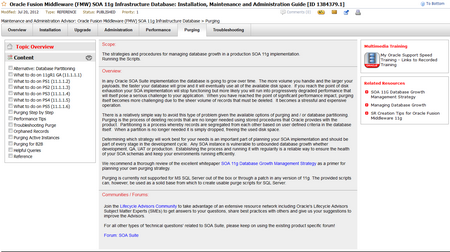
- Another important document is the SOA Infrastructure Database Guide. This document contains several pointers to administration tasks such as for instance purging in order to manage the SOA Infrastructure database used as the internal store for SOA products such as BPEL PM, BPM, etc.
- Adding landing pages for ORABPEL-* error messages and updating notes.
- Enhancing the ability to troubleshoot and diagnose problems across the SOA stack with tools as Remote Diagnostic Agent and Selective Tracing, see Overview of SOA Diagnostics in 11.1.1.6 for more information.
- Using communication channels such as twitter @SOAProactive and blog SOA Proactive Support.
B2B, CEP, Coherence and Big Data
These four subjects may not be related to SOA in first sight, but the opposite is true.
B2B stands for Business to Business and it’s all about exchanging documents (messages) between businesses. These documents can be XML files, flat files or several international agreed standard formats. In order to use B2B you should create document definitions, configure trading partners and create agreements in the B2B console. B2B installs with the SOA Suite automatically and its console is located at http://<server>:<port>/b2b. You can use the weblogic user to login. In the SOA Suite you can define a B2B adapter and link it to your document definition. You get the most out B2B when both trading partners use B2B because configuration data such as document definitions can be exported and imported (and re-used, avoiding the error prone document definition).
CEP is the processing of high volume data streams in order to find business events based on rules. An example is the use of RFID tags in a warehouse. Every parcel has a RFID tag and by continuous reading of the RFID tags from several readers or sensors simultaneously, the location of the parcel in the warehouse can be determined. An example of a rule is that when a parcel moves in the warehouse, there should be a lorry moving along the same route. If this isn’t the case then something is wrong and some action should be taken, for instance page somebody and instruct this person to search for this lost package. A huge amount of technical data is reduced to one business event. Such an event could trigger for instance a BPEL process which sends a SMS message to an employee. And the employee has to report back the status of the parcel.
Coherence is a highly available distributed in memory data grid. Coherence always stores at least two copies of the same data on different nodes to assure there is always a copy of the data available when a node fails. The SOA Suite uses Coherence while deploying composites. The Oracle Service Bus uses Coherence with throttling. Coherence is also available as a jar file for Java development and is also called “world’s most expensive enterprise hash-map“.
The Big Data presentation started with an explanation of Hadoop and the Map Reduce algorithm. And for the processing of huge amounts of data you need an extra piece of hardware: Oracle Big Data Appliance. Unfortunately, there wasn’t enough time to finish this presentation…
Conclusion
What did I learn? A lot of topics (for example components of the SOA Suite) were discussed, mostly on a overview level. While taking notes I saw my “to be investigated” list grow with new components, properties and links every day.
Having a reference architecture with clear definitions and clear guidelines will definitely contribute to a successful SOA implementation.
Compliments for Jürgen and Micheala Seika for the organization, Maria, John-Brown and Marcel for their presentations and at last but not at least compliments for Geoffroy, there wasn’t any question he didn’t answered extensively.

Hello , Itâs very interesting post. I have some doubts you said that ..ââ¦In AIA there are several layers of services. Each layer contains the same type of servicesâ¦.â But my question is, all these services should be plug in the OSB. That is to said, We should have one Proxy and Business services in each layer.
Other question is , you say â¦â in a layer only interact with services in the layer below or aboveâ Iâm not sure that It is a good approach , IMHO , If we have a transaction in one legacy system, we could get up a conectivty web service to access to this transaccion and other activity service to offer this capability to consumer. In this case , we donât need a data services.